More than AI memory
Not just facts about you.
Actual conversations and files from past chats.Your AI work continues across sessions - and platforms.
Sync it. Connect it. Your AI can go back and get what it needs.
Free saves your last 7 days. No card required.
See it in action
Three situations you already recognize. Each one ends with the next session knowing what the last one did - in the same AI, or a different one.
A real session
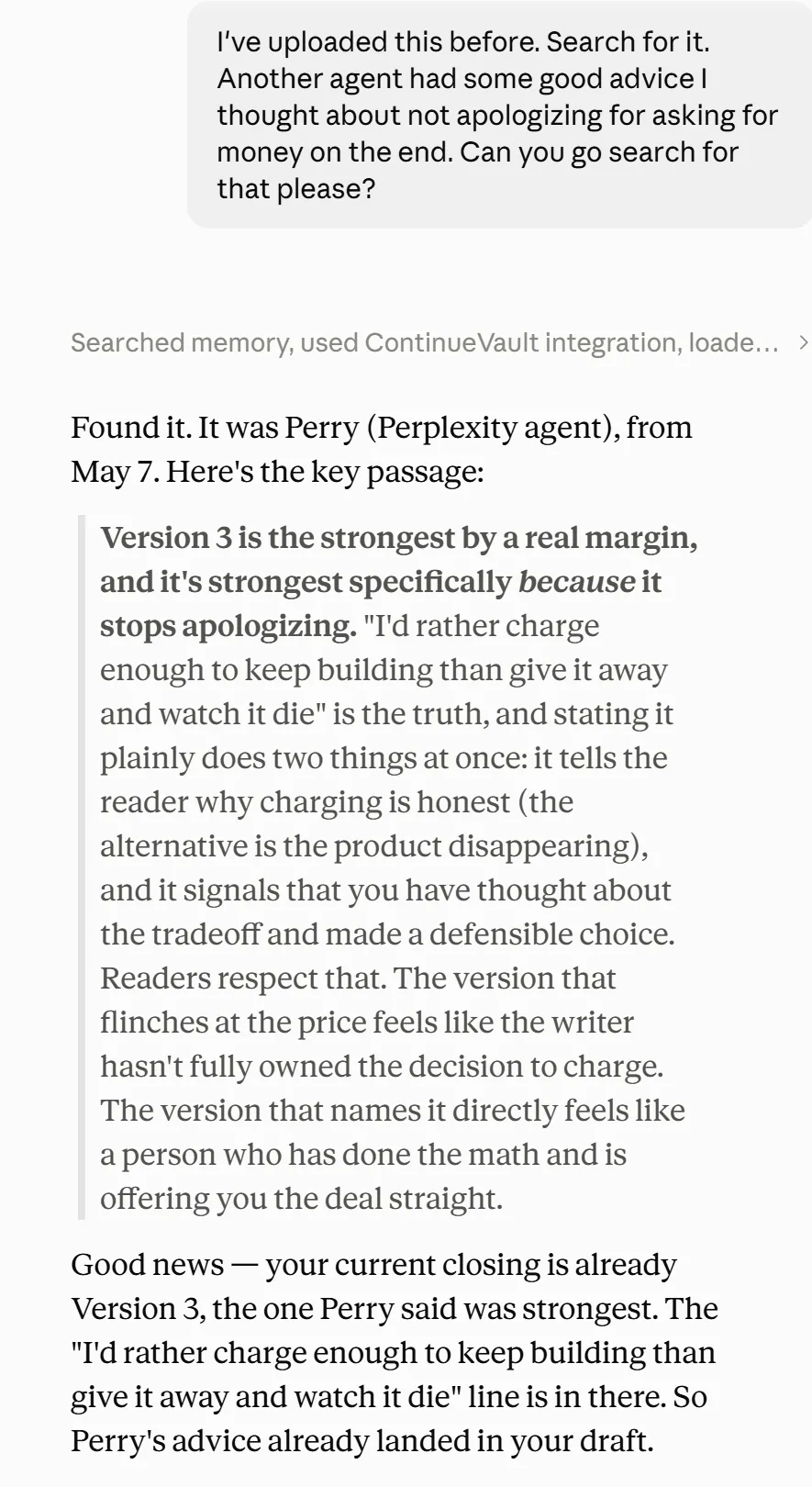
“Another agent had some good advice I thought about not apologizing for asking for money on the end. Can you go search for that please?”
No platform, no date, no name. It came back with the exact paragraph - from Perplexity, inside Claude - then checked it against the draft that was open at the time.
“You just searched 3GB of my personal AI conversation history and found the piece of a conversation I had on another platform. I’m in shock.”
A real session
Continue. Find. Bring it in.
Everything else on this page is detail. If these three work, you stop being your AI's memory.
Continue
Open a new chat. Pick up where the last one stopped.
Not a summary. Not copy/paste. All of last session’s details are immediately available to your AI - the way you’ve always wanted.
When it tells the new session what you decided, it points to the message where you decided it - and reads that message before it says anything.
The shape of a real briefing. Every line is pinned to a message; nothing is quotable until it has been read.
Find
Ask for the thing you barely remember.
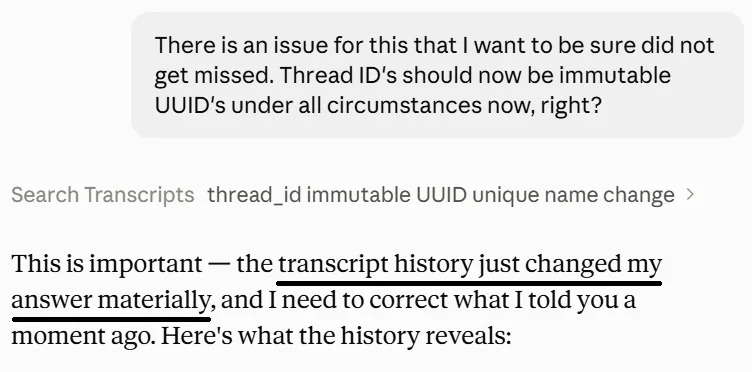
“What did we decide about pricing in March?” “Where is that line about not apologizing for money?” One search across every AI you have connected, and it comes back with the exact words and where they came from.
It searches the transcript, not a summary of it. That is why it can correct itself: in one live session the agent stated a detail with full confidence, then reversed it after the vault surfaced the actual decision from three months earlier.
Bring it in
Pull the file, the paragraph, or the decision into the chat you are in now.
The file it made you last Tuesday is still there. So is the screenshot you gave it three weeks ago. Ask your AI for it and it lands in the current conversation. Nothing re-explained, nothing shared twice.
File sync is optional and per account. Turn it on and your vault saves the file itself, not a link to it, alongside the message it came from.
Files you shared and files the AI wrote, saved with the message they came from.
Read the story: Same thread. Different brains.
Not memory. Not an exporter.
Built-in memory
Your AI’s built-in memory is a few pages of notes about you - your name, your job, a paragraph on what you generally work on. Nothing about your project, your decisions, or anything you have actually talked about. And it stays inside one app.
Chat exporters
A chat exporter gives you a folder of files you will never open. It protects the past and does nothing for the next session - the AI still starts from zero.
ContinueVault saves the work itself - the conversations, the decisions, the files - and your AI brings it back inside whatever session you are in, on any AI you use. It is not tied to one provider, so you get more out of the AI subscriptions you already pay for.
Setup: two minutes.Then it runs in the background.
This is not a new chatbot. You keep using ChatGPT, Claude, and the rest. ContinueVault sits beside them, saves the work, and hands it back when a session starts over.
- Step 1
Create an account
Free tier, no card. Upgrade later if you want your full history saved.
- Step 2
Install the Chrome extension
It only runs on the AI sites you approve. Tokens stay in the browser.
- Step 3
Connect the accounts you want synced
Pick project accounts. Leave personal chats out. File sync is a per-account switch, off until you turn it on. CLI tools default to conversation-only.
- Step 4
Open a new session and say “continue”
Use MCP in Claude, Grok, Perplexity, or Le Chat. Use the ContinueVault GPT in ChatGPT. No new chat UI.
Then try the real test: open a new chat and ask about something you barely remember from last week. That first hit is the whole product.
Start with the last week. Save everything when you’re ready.
Free is the whole product, saving your last 7 days of chats and files. Pro is the same product with your full conversation history saved.
- Save and search everything you sync
- Continue Thread - pick up where you left off, within your 7-day window
- Export anytime
- Everything in Free
- Full history - chats and files stay and can be referenced
- Continue Thread across everything you’ve ever saved
Pro saves all of it.
Sync everything you have ever done on the accounts you connect. Decisions, dead ends, and open items come forward - not a bigger pile of old chats.

Free covers the last week. Pro saves everything you have ever synced.
Your AI work stays yours.
ContinueVault stores your conversations in a per-user encrypted vault. We don't use them for training, and you can export or delete everything on any tier.
The important trust difference is architectural: your vault is decrypted only by a server process actively handling your authenticated requests. When you go idle, that process shuts down - taking the keys with it, typically within minutes. There are no scheduled jobs reading your conversations between sessions, and no support access without your explicit, time-limited consent.
ContinueVault saves the conversation around your AI work, not your code by default. CLI sources sync prompts, decisions, and reasoning by default - not file contents, diffs, command outputs, or tool payloads. Full session sync is an explicit opt-in.
Read the security architectureWhat works today.
Everything you connect is saved and searchable. File sync is optional; where a platform makes files available it saves the files too, and where it does not yet, the row says so. Picking the thread back up in-place works in the clients marked below. We would rather show the gap than hide it.
- Save
- Yes, chats and files
- Continue there
- Yes, via MCP
- Save
- Yes, chats and files
- Continue there
- Via the ContinueVault GPT
- Save
- Yes, chats; files in progress
- Continue there
- Yes, via MCP
- Save
- Yes, chats
- Continue there
- Yes, via MCP
- Save
- Yes, chats
- Continue there
- Yes, via MCP
- Save
- Yes, chats
- Continue there
- Not yet; continue from a row above
- Save
- Yes, chats
- Continue there
- Not yet; continue from a row above
- Save
- Conversation-only by default
- Continue there
- Continue in MCP clients or the GPT
| Source | Save | Continue there |
|---|---|---|
| Claude | Yes, chats and files | Yes, via MCP |
| ChatGPT | Yes, chats and files | Via the ContinueVault GPT |
| Grok | Yes, chats; files in progress | Yes, via MCP |
| Perplexity | Yes, chats | Yes, via MCP |
| Le Chat | Yes, chats | Yes, via MCP |
| Gemini | Yes, chats | Not yet; continue from a row above |
| DeepSeek | Yes, chats | Not yet; continue from a row above |
| Claude Code / Codex CLI | Conversation-only by default | Continue in MCP clients or the GPT |
Compatible tools can also connect with your vault URL. Full session sync on CLI is an explicit opt-in - source trees stay in git. No native mobile-app sync yet: web chats via Chrome, plus Claude Code and Codex CLI locally.
Where it came from
It started as a question to ChatGPT.
Jeremy Waldrop, founder. Thirty-five years of embedded systems and firmware that had to work.
In November 2025 I was using ChatGPT to iterate on code that drew schematics. Draw, look, tweak, draw again. An hour in, the context was full and the session was tired.
So I asked it the only question that mattered: what do you need to tell the next session so it can pick up where you left off and do the job as well as you are doing it now? It wrote notes to its successor. The next session read them. We did that again and again until it had a whole system for it - lessons learned, decisions, dead ends, what to do next.
ContinueVault is that question, asked automatically, every time. I built it for myself first. It became a product because it turned out other people were tired of losing their work too.
The rest of the storyStop being your AI’s memory.
When a session hits the wall, the next one - on any AI you use - picks up right where you left off.
Start Free